We use cookies
We use essential cookies for platform functionality and, with your consent, analytics and marketing cookies. See our Cookie Policy.
Recipe costing software that updates itself
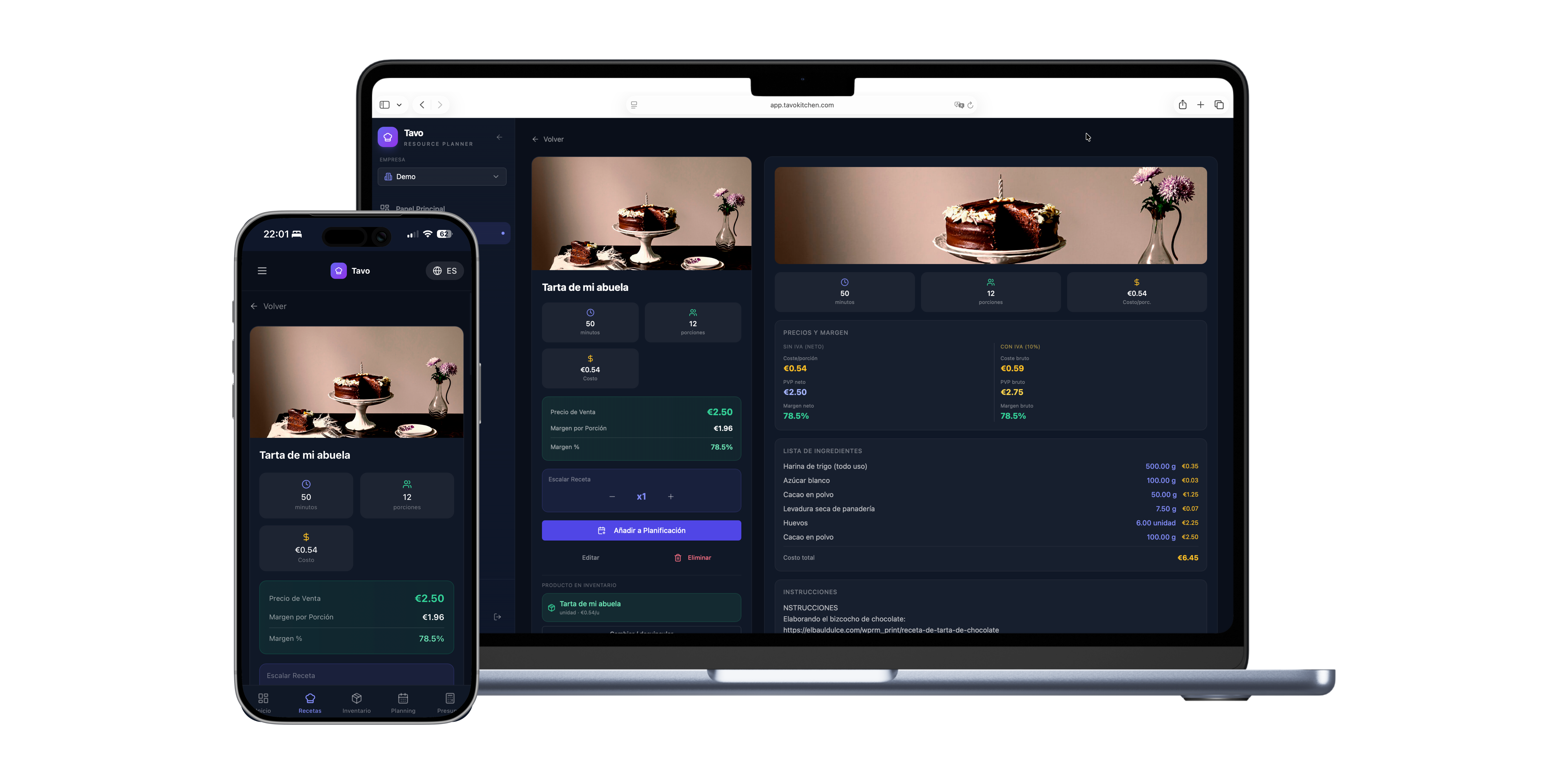
Tavo is recipe costing software for professional kitchens: it calculates the cost and margin of every recipe from your suppliers' real prices, and warns you when a price change affects your profitability.
What problem it solves
A dish's cost goes up and nobody notices
A supplier raises a price and the cost card in your Excel stays the same. Tavo picks up the change and recalculates the cost instantly.
Building a cost card in Excel takes hours
Copying prices by hand, checking formulas and starting over every time something changes. In Tavo, the cost card calculates itself.
You don't know if the problem is the supplier, the price or the recipe
When the margin drops, Tavo shows you the exact cause: which ingredient changed price and how much it affects the recipe.
How it works in Tavo
You add your recipes with ingredients and quantities.
Tavo takes the price of each ingredient from your delivery notes.
You see cost, margin and selling price for every recipe.
When a price changes, Tavo recalculates and shows you the cause.
What's included
- Automatic cost card for every recipe
- Gross margin and selling price
- Breakdown by ingredient
- Cause detection for every cost variation
- Cost comparison between suppliers
- Profitability history

“Thanks to Tavo, I can see the profitability of all my preparations and put together catering quotes in just a few minutes, without any hassle.”
FAQ about recipe costing
What is a recipe cost card?
A cost card breaks down the cost of a recipe: every ingredient with its quantity and price, plus trim loss, up to the total cost of the dish.
How is the cost of a recipe calculated?
Tavo adds up the cost of each ingredient according to the recipe quantity and the current inventory price, which comes from your delivery notes. The cost always reflects your suppliers' real prices.
Does Tavo update the cost card when prices change?
Yes. When you record a delivery note with a new price, Tavo recalculates the cost of every recipe that uses that ingredient and warns you about the impact on your margin.
Can I calculate a selling price from the margin I want?
Yes. Set your target margin and Tavo suggests a selling price for each recipe, or the other way round: starting from a price, it shows you the resulting margin.
Does it work for production kitchens and caterers, not just restaurants?
Yes. Production kitchens, bakeries and caterers calculate the cost and margin of their batches and event quotes from the same data: recipes, supplier prices and volumes.